|
|
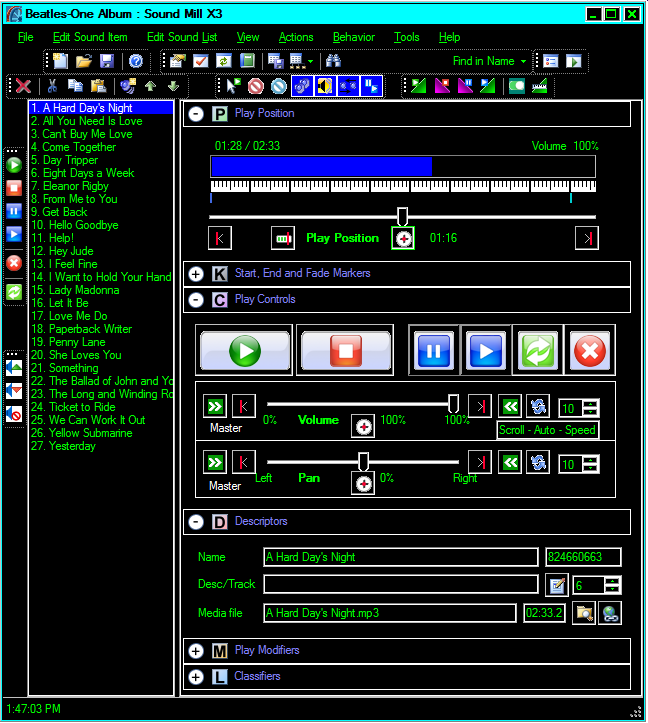
Sound List Editor
- Play, pause/stop, resume
- Manage the list of sounds
- Edit sound item properties
- Fast copy, cut, paste sound editing
- Play sounds simulaneously or automatically in sequence
- Loop sounds, add delay after play, specify repeat number
- Descriptors for console operator instructions
- View and print the full sound plot
|
|
|
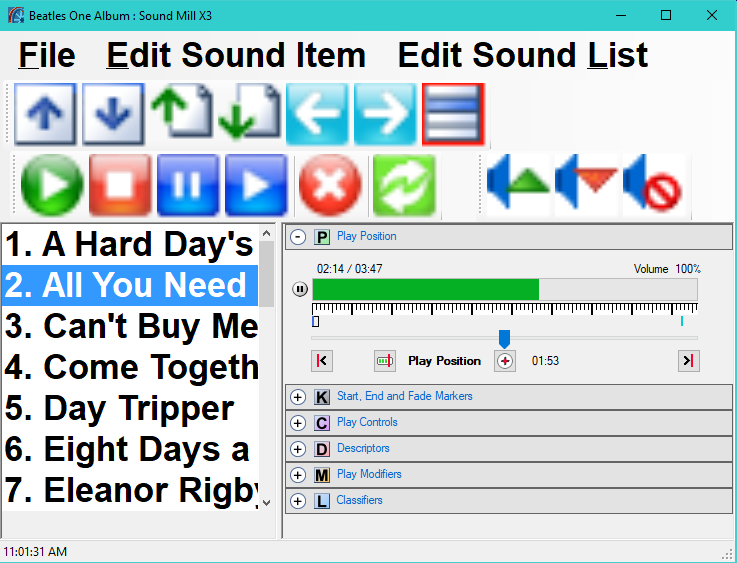
Touch Screen Performance Interface
- Scale toolbars and menus large enough for finger touch access.
- Scaling size is up to you.
- Tool bar for item selection (Up, Down, Page Up, page Down).
- Even menus are touch accessible.
|
|
|
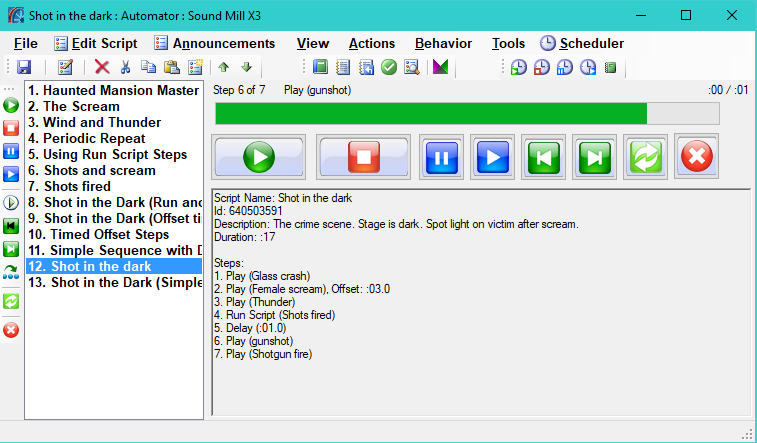
Automator - Automation Manager
- Create scripts to play multiple sound items in sequence.
- Time sound items to play after a given time expires.
- Schedule scripts and sound items to play at a time of day.
- Highly flexible, scripts can run other scripts.
- Perfect way to automate music programs interrupted by announcements.
|
|
|
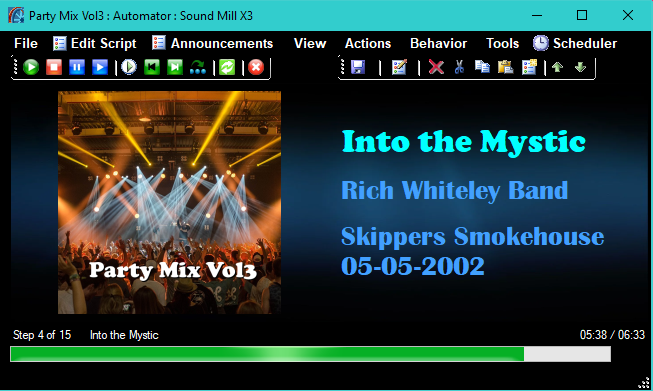
Automator - Now Playing Screen
- Designed for playlist audience viewing on large display screen.
- Displays Mp3 (ID3) tag data from the media file during playback. (Song Title, Artist, Album)
- Artwork can be sourced from: Media file embedded artwork, folder artwork, or designated default artwork.
- Customizable: Text fonts, colors, sizes. Background image.
- Can be used for Music with Announcements as well as simple playlists.
|
|
|
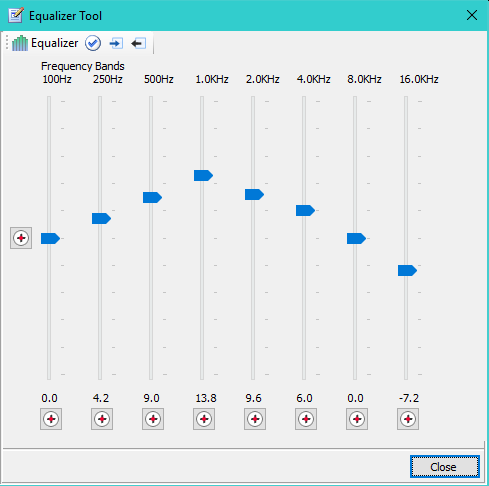
Eight(8) Band Equalizer
- Save Equalizer settings as DSP effects. Include Equalize(EQ) DSP effects in DSP Chains.
- Each Band Center Frequency is adjustable.
- Load a saved EQ DSP effect into the Equalizer Tool.
- Enable/disable EQ DSP effect with one button click while audio is playing.
|
|
|
Easy Player
- Designed for Solo/Stand-up Performers and Presenters; And for Kiosk applications.
- Control
Sound Mill
audio using a remote control device (range up to 130 feet).
- Touch screen enabled.
- Text Cues with Large Fonts - Read from the back of the room.
- Create any number of Playlists.
- Graphic Cues - Use graphics mnemonic cues instead of text.
- Volume Bump Up/Down and Mute.
- Next and Previous Cue selection.
- One or multiple columns of cue buttons can be configured.
|
|
|
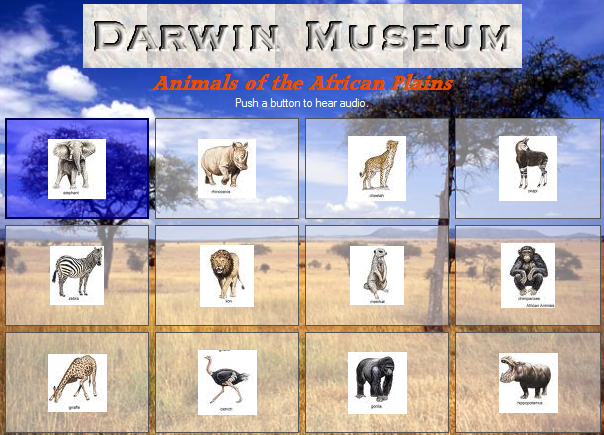
Audio Kiosks
-
Easy Player can be operated as a Kiosk.
- Extensive control over visual design. (Colors, fonts, sizes, Marquee image, more.)
- Transparency effects for polished looking design.
- All popular image formats supported.
- Autosize of visual elements or you set sizes as you desire.
- Run on any Kiosk device, touch screen or laptop.
- Ready for auto-start, auto-login.
|
|
|
Use a Dark Theme in Dark Venues
- Apply a dark application skin to prevent eye strain in a darkened theater or venue.
- Several Windows High Contrast Themes available.
- Go to Windows Control Panel > Personalization.
- Switch from light to dark theme in seconds.
|

 Home
Home News
News Products
 Support
 User Forum
 Contact Us
 Site Map
 Search
 About
About Language
 Page Bottom
 Overview
 Screen Shots
 Manuals & Demos
 Compare Editions
 Buy Now
 Download
 Prerequisites
 FAQs
FAQs Release Notes
 Screen Shots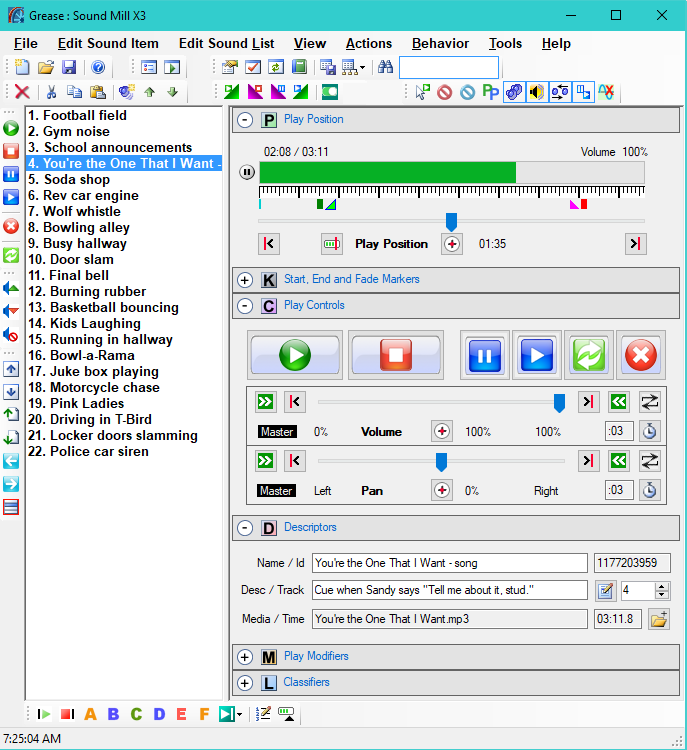


 To Page Top