Sound Mill X3 : User's Guide
 Contents
 Language
 Product Home
Default Attributes
 Page Bottom
Locator: Sound List Editor > Tools > Default Attributes .
Sound Item Default Attributes Values
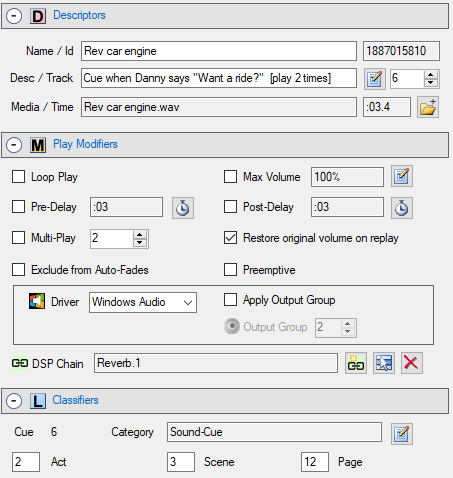
SoundMill keeps a list of Default Attributes for all five groups of Sound Item attributes ( Play Controls, Descriptors, Play Modifiers, Play Markers, and Classifiers ). These defaults are used when creating new Sound Items (except for Name, Desciption, and Media File attributes which are left blank for new Sound Items ). Default Attributes are also used by the Quick Markers menu items.
 To Page Top
Default Attributes Modes
There are two modes. The Default Attributes Mode
button on the
Find tool bar
(Figure 1.) indicates the current mode. Click on this button at any time to change the mode.
-
Favorite mode -
Favorite mode
(
 ) stores the default attributes as program defaults.
 -
Sound List mode -
Sound List mode
(
 ) stores the default attributes with each Sound List. So everytime you load a previously saved Sound List, the default attributes are reloaded from that Sound List.

Save as Default Attributes
First, pick the mode as described above. Select any Sound Item in the list. Now click the
Save as Default Attributes
button (  ) on the
Find tool bar
The attributes of the selected Sound Item will be saved as the current defaults. It is actually a good practice to create a separate dummy Sound Item for setting the defaults (either with the New button or Copy & Paste). It can be easily deleted when you are finished using the default attribute operations. And this way you will not disturb the settings of any Sound Items in your design just for the sake of settting Default Attributes.
) on the
Find tool bar
The attributes of the selected Sound Item will be saved as the current defaults. It is actually a good practice to create a separate dummy Sound Item for setting the defaults (either with the New button or Copy & Paste). It can be easily deleted when you are finished using the default attribute operations. And this way you will not disturb the settings of any Sound Items in your design just for the sake of settting Default Attributes.
How do I find the current Default Attributes settings?
Go to Tools -- Default Attributes -- View Default Attributes . It will show the Default Attributes based on the current selected Mode.