
 Tempo Game Clock : User's Guide
Screen Shots
 Tempo Game Clock
consists of a control panel window and a game display.
Tempo Game Clock
consists of a control panel window and a game display.
Click on any image below to see a full size screen shot.
| Screen shot |
Description |
|
|
Controller
- Start and stop/pause clocks
- Click button to indicate player move is completed (or use keyboard spacebar)
- Advance period
- View game log and stats
- Player controls to:
- Indicate material captures
- Correct moves
- Accept draw or resign
- Record move notation
- Adjust clock
|
|
|
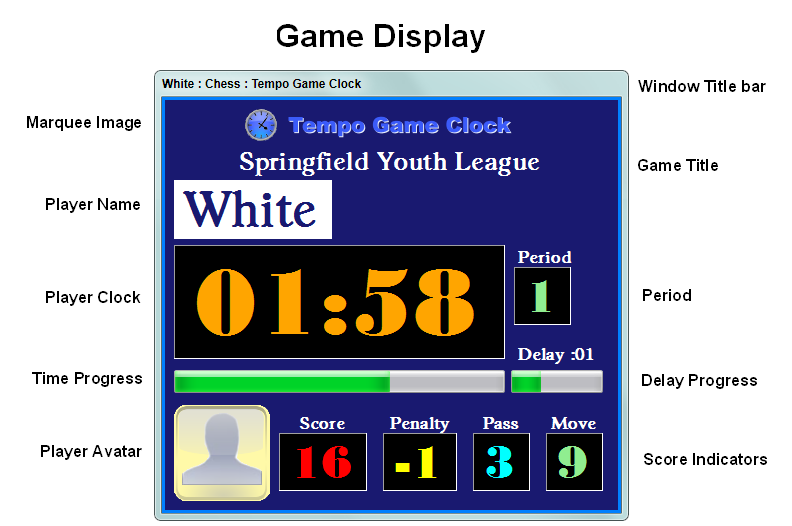
Game Display showing all layout features
- Game Display with all features showing.
- Show or hide any Game Display features to create a custom look.
|
|
|
Default Game Display
-
Tempo Game Clock
marquee image
- Player names
- Clock time with progress bars
- Player avatar image
- Move, penalty and score panels
- Displayed without Title bar
- Border color and width configurable
|
|
|
Customize the Game Display
- Use your custom marquee image (Club, school, etc)
- Fonts - Pick any available on your computer
- Colors - Most game display colors can be configured (foreground, background)
- Personalization: Easily create Player Personas with name, photo or avatar image. (many image formats: gif, jpg, png, etc.)
|
|
|
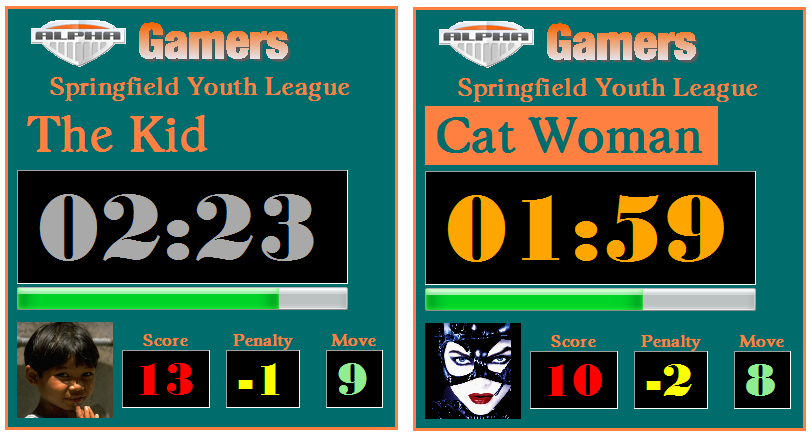
Custom Games
- Create a custom game and pick which features to show on the Game Display.
- Set number of players and customize time controls.
- Screen shot shows an actual Custom Game Show example (Word1).
|
|
|
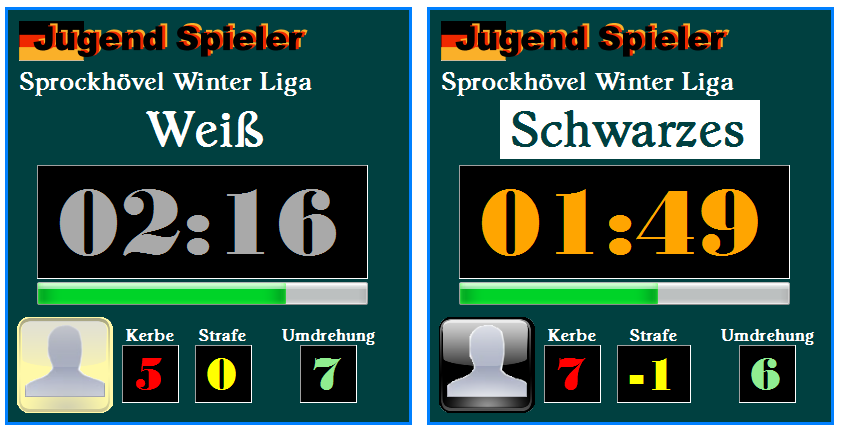
National Language Support
- Virtually any national languge can be used on the Game Display.
- You set the translation labels in the Options -- Text & Font dialog.
- Screen shot shows a German translation example.
|
|
|
Minimal Game Displays
- When minimal displays are desired.
- Hide any layout feature except the clock time.
- Reset feature font sizes for very small display.
- Screen shot shows actual size.
- Sixteen displays auto-sized and auto-positioned (tiled).
|
 Language
 Contents
 Language
 Product Home
 Page Bottom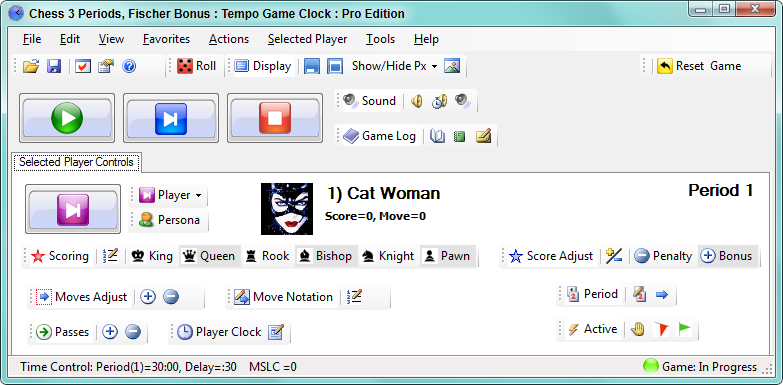



 To Page Top